Home Automation in Australia
Secure home automation and Industrial access FEATURES
OUR IOT SYSTEM ARCHITECTURE
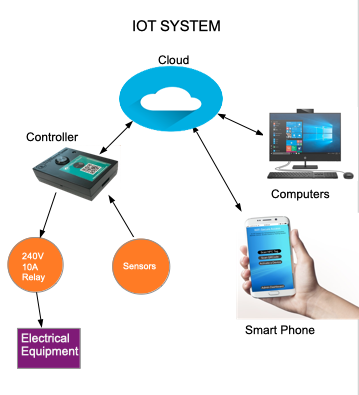
Our IoT system consists of a cloud server, smart devices, and an App on smartphones. Sensors and actuators and electrical loads can be connected to smart devices. Devices use AES encryption providing a high level of security making sure that only allowed users can activate these smart devices.
SMART DEVICE
 |
| Image, Home Automation |
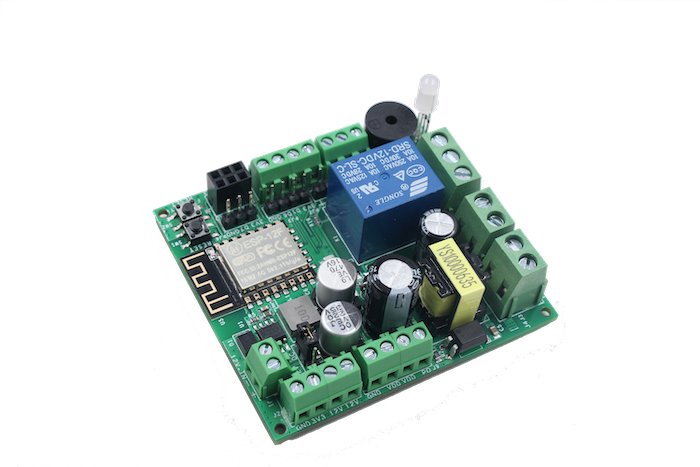
Our smart device is designed with a powerful ESP8266 microcontroller, with one relay and one solid-state switch. It has one analog input and 2 digital inputs. The power supply can be either 12V or AC 240V/110V. Relay is rated 240V 10A. It also has a buzzer and an RGB LED. This smart device comes with firmware pre-installed. Firmware can be updated online. With that firmware loaded, this device gives all features of WiFiSecureAccess IOT platform as described on this page as well as its documentation. In addition to that, those who are looking for a development board to develop their own programs can use this device as an ESP8266 IOT development board. They can program this using Arduino IDE. Used in that mode, this is an ideal board that can be used by IOT developers as well as schools and educational institutions for teaching microcontroller programming and IoT develo0pment.
SECURE HOME AUTOMATION and Industrial
In the device secure home automation and Industry can be used to control anything. Each device has a relay and a solid-state switch. External equipment such as 240VAC (or 110VAC) light bulbs or a fan or a microwave or air-conditioning systems or anything similar can be connected to the device through the relay. This equipment can, then, be controlled from a remote using a smartphone or a computer. In addition, sensors such as temperature, humidity, motion sensors, ultrasound sensors can be connected to these devices. Almost all sensors available for Arduino can be connected to this device. The device can then be programmed to activate an output port (relay, or the solid-state switch) of the same device or another device sitting remote based on the value of the sensor. A device sitting in a factory in Sydney, for example, can sense a parameter and activate a device sitting in New York, for example. In addition, a periodic or a timer-based activation of a port of a device can also be configured. For example, the device can be configured to activate a piece of equipment at 8:00AM every day and put that off after a pre-programmed duration. In the device secure home automation is available in Australia.
REMOTE INSTRUMENTATION AND MONITORING
 |
| Home Automation |
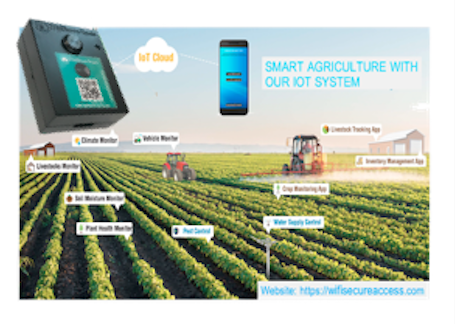
These devices can be used to collect data from sensors sitting remote. Sensors such as temperature, humidity, motion, ultrasound can be connected to smart devices and data from these sensors can be monitored by a remote computer. Data logging of these remote sensors to your computer for future data analysis is also possible.
ACCESS CONTROL IN BUILDINGS AND PRIVATE PARKING
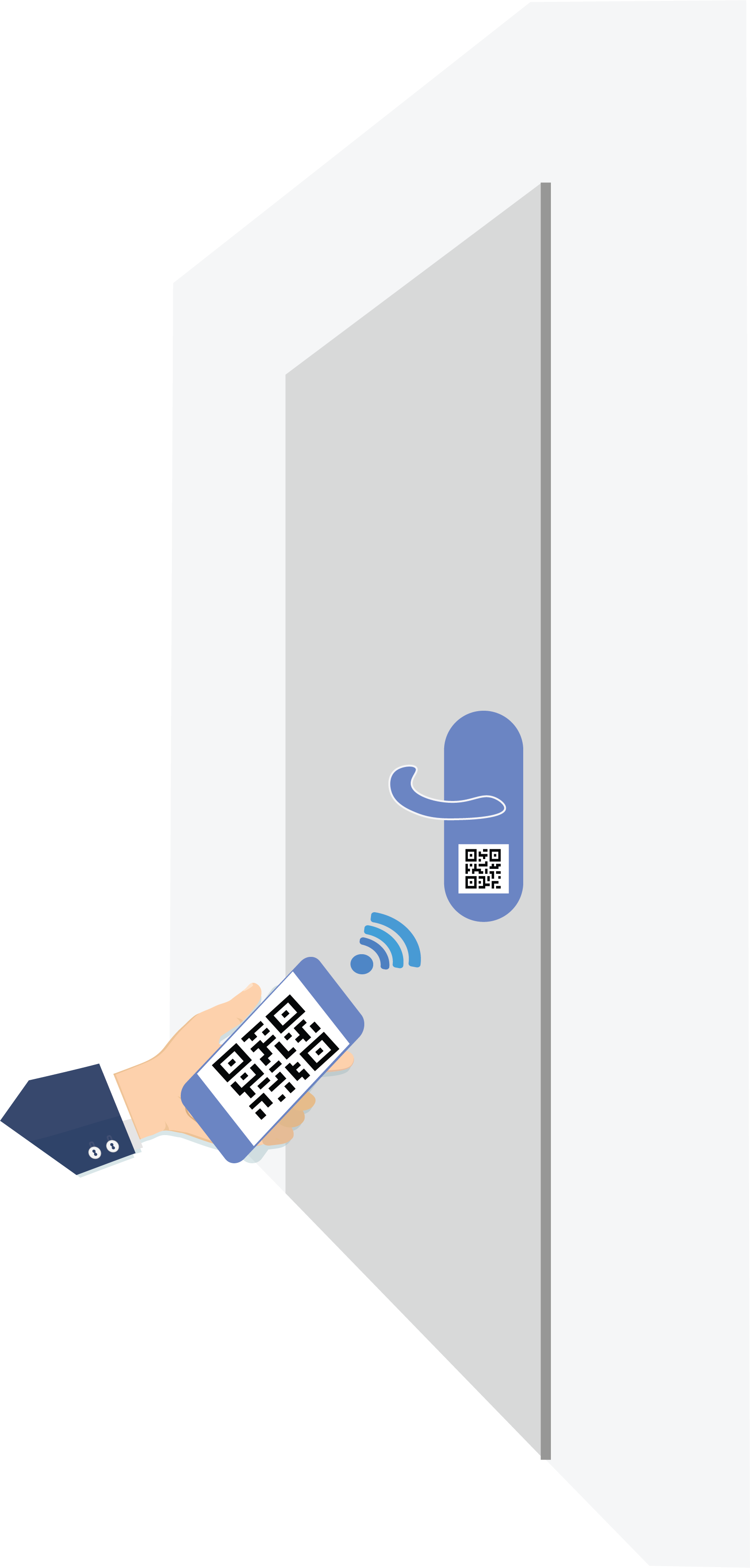
The device can be used to open or close access doors of houses, business buildings, or any restricted area using mobile app on smartphones. Install a smart device securely behind the access door and connect it to the actuator on the door. Then place the device's QR code label or NFC tag on the outside of the door. Allowed users can then open these doors by scanning the QR code or the NFC tag. Allowed users can also open these doors using Google Home Assistant or Amazon Alexa. They can also open these doors from remote by pressing a button on the smart phone, if configured accordingly. With the level of security incorporated with the system, only allowed users can open these doors, even though anyone can scan these codes
ACCESS CONTROL IN GARAGE DOORS AND SIMILAR GATES
 |
| Garage door opner |
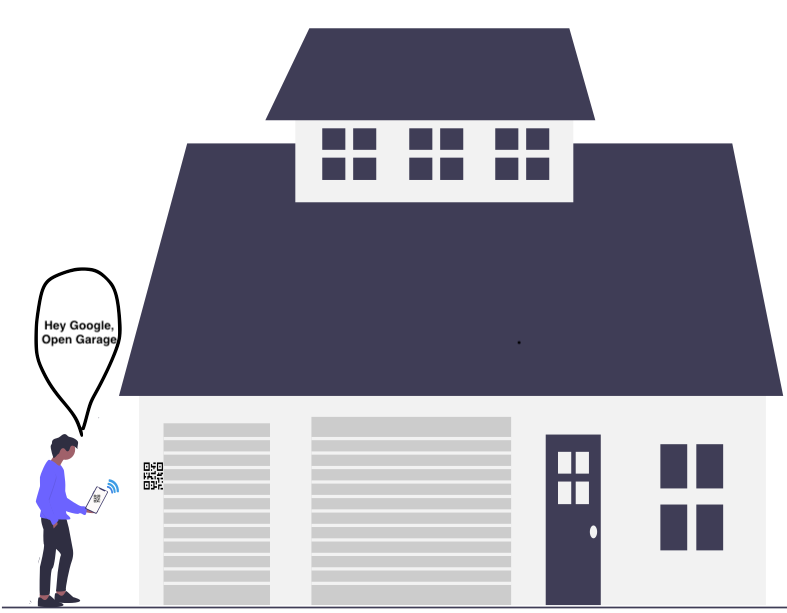
The device can be used to open or close a garage door using mobile app on smartphone and eliminate the need to carry an extra remote garage door opener with you. It is possible to interface this device to any existing automatic controller of a garage door. It is only a matter of connecting the terminals of the manual push button of the garage's automatic controller either to the relay or the solid state switch of the device. Once connected, the device can be configured so that it can be operated using a smart phone. By installing a sensor switch on the garage door and cabling it to the smart device, one can also know from remote whether the garage door is currently open or closed.
SMART PARKING SYSTEM FOR APARTMENT/OFFICE COMPLEXES
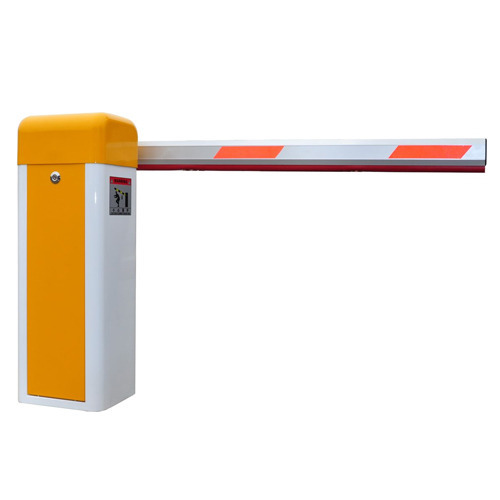
Our IOT system provides an excellent parking management system to manage parking within an apartment complex or offices where only the residents and allowed visitors are permitted to park. Install smart devices securely at the entry and exit gates. Connect the controller of the boom gate or shutter door to the relay of the smart device. Then place the QR Code label or NFC tags at easily accessible locations at these gates. Configure the system such that only the allowed users are permitted to enter. Visitors can be added on a temporary basis by the management. Residents can scan the codes at the entry using the mobile app to get access. Management can add and remove allowed users at any time easily.
PAID PARKING SYSTEMS
 |
| smart car parking |
These devices can replace the current ticketing machines and parking meters of a parking lots well as roadside parking. If it is a roadside parking, connect ultrasound sensor to smart device to detect a vehicle. If it is a paid parking lot, connect boom gates to either the relay or the solid state switch of the device. Then configure the device as per the instructions given in the documentation. WiFiSecureAccess provides a complete management system for paid parking lots.
Once configured, the motorists can enter the parking lot by scanning the QRCode or NFC tag of the device at the entry. And when the motorists scan the QRCode at the exit, parking fees are automatically calculated. Motorists are then prompted to provide their credit card details for charging through Stripe System.
Stripe checkout system automatically charges the motorists and credits the amount (minus Stripe fees and other costs) to the Stripe account of the owner of the parking lot. Stripe will remember this motorist's credit card details and for next time onwards, there will not be any further need for the motorists to enter his credit card information again. Motorists can mointor their parking status as well as parking records and billing on line. Booking and holding a parking spot from remote are also possible along with remote monitoring of the availability of parking spaces in parking lots

Comments
Post a Comment